
Summary
If you want to stop a dog from barking at the TV remote click, the key is to understand why the clicking sound triggers your dog in the first place. For some dogs, the remote click predicts loud TV sounds, flashing images, animals on screen, sudden movement, or a change in household energy. For others, it becomes a learned habit: click happens, dog barks, people react, and the barking gets reinforced.
The good news is that this behavior can usually be improved with calm training, sound desensitization, counterconditioning, better TV routines, environmental management, and alternative behaviors such as “go to bed,” “quiet,” “look at me,” or “place.” This guide explains why dogs react to remote clicks and gives you a step-by-step plan to reduce barking without yelling, punishment, or confusion.
Table of Contents
- Why Dogs Bark at the TV Remote Click
- How to Stop a Dog From Barking at the TV Remote Click Step by Step
- Common Reasons Your Dog Reacts to Remote Sounds
- How to Desensitize Your Dog to the TV Remote Click
- Teach a Calm Alternative Behavior
- Mistakes That Make Remote-Click Barking Worse
- When to Get Professional Help
- Conclusion
- FAQs
Why Dogs Bark at the TV Remote Click
A dog barking at a TV remote click may seem strange at first. The sound is tiny, quick, and harmless to humans. But dogs experience the world differently. Their hearing is more sensitive, they notice patterns quickly, and they often connect small household sounds with bigger events.
To your dog, the remote click may not simply mean “someone pressed a button.” It may mean:
- The TV is about to turn on.
- Loud voices are about to start.
- Animals might appear on the screen.
- The family’s attention is about to shift away.
- A sudden sound or flashing light is coming.
- Excitement, stress, or confusion is about to happen.
Dogs are excellent at building associations. If your dog once heard the remote click before a loud movie, a barking dog on TV, fireworks in a show, a doorbell sound, or a scary visual, your dog may have learned that the click predicts something worth reacting to.
This is why the solution is not just stopping the bark. The real goal is to change your dog’s emotional response to the remote click.
How to Stop a Dog From Barking at the TV Remote Click Step by Step
To stop a dog from barking at the TV remote click, you need a training plan that separates the remote sound from excitement, fear, and barking. The process works best when you stay calm and consistent.
Step 1: Identify the Exact Trigger
Before training, observe your dog carefully. Does your dog bark at:
- The physical click sound?
- Is the TV turning on?
- Volume changes?
- Animals on the screen?
- Doorbell sounds in shows?
- Action scenes, yelling, or sudden music?
- The movement of your hand holding the remote?
- The fact that people stop paying attention to the dog?
This matters because the remote click may only be the first part of a larger trigger chain. For example, some dogs bark because the click predicts the TV turning on. Others bark because the click predicts dogs, cats, birds, or fast-moving images on the screen.
Write down what happens before the barking. A simple note might look like this:
“Remote clicks → TV turns on → dog stares → dog whines → dog barks when animals appear.”
This helps you train the real problem instead of guessing.
Step 2: Lower the Intensity
Training fails when the trigger is too strong. If your dog is already barking, lunging, spinning, or ignoring food, the situation is too intense.
Start with the easiest version of the trigger:
- Remote in your hand, but TV off.
- Very soft click sound.
- Dog several feet away.
- No exciting show is playing.
- Treats ready.
- Calm room environment.
The goal is to keep your dog under threshold. “Under threshold” means your dog notices the trigger but can still think, eat, listen, and respond.
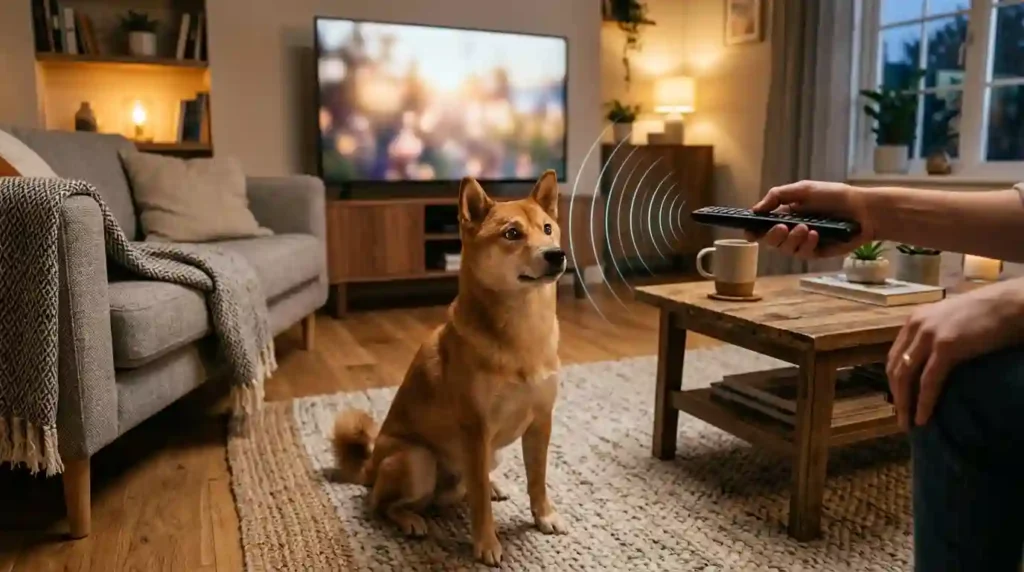
Step 3: Pair the Remote Click With Rewards
This is the foundation of counterconditioning. The remote click should begin to predict something good.
Try this:
- Hold the remote calmly.
- Click once.
- Immediately give your dog a small treat.
- Wait a few seconds.
- Repeat.
At first, do not turn the TV on. You are only working with the click sound. Keep sessions short: 2 to 5 minutes is enough.
Your dog should start thinking, “Remote click means snack,” instead of “Remote click means bark.”
The American Kennel Club explains that desensitization and counterconditioning can help change a dog’s emotional response to a trigger by introducing it gradually and pairing it with something positive. Use this authoritative guide for more background: AKC guide to desensitization and counterconditioning.
Step 4: Reward Quiet Before Barking Starts
Timing matters. Many owners accidentally reward barking because they wait until the dog explodes and then offer attention, food, or comfort.
Instead, reward the quiet moment before barking.
Look for early signs:
- Ears perk up.
- Head turns.
- Mouth closes.
- Body stiffens.
- The dog stares at the remote.
- The dog leans forward.
As soon as your dog notices the click but stays quiet, say “yes” or use a clicker marker, then reward. This teaches your dog that calm noticing earns reinforcement.
Step 5: Add the TV Gradually
Once your dog can handle the remote click with the TV off, add the next level.
Try this progression:
- Click the remote without turning the TV on.
- Click the remote and turn the TV on with volume muted.
- Click the remote and play calm content.
- Add low volume.
- Increase normal household volume slowly.
- Practice with mildly interesting shows.
- Later, practice with more exciting content.
Do not jump straight from silent remote training to loud animal documentaries. That can undo progress quickly.
Common Reasons Your Dog Reacts to Remote Sounds
Understanding the root cause makes training more effective.
Sound Sensitivity
Some dogs are naturally sensitive to sharp, sudden, or high-pitched sounds. A remote click may be small, but it is crisp and sudden. Dogs with noise sensitivity may also react to pens clicking, keyboard tapping, microwave beeps, phone notifications, or light switches.
These dogs need slower desensitization. Keep sessions gentle and avoid forcing exposure.
Learned Association
Your dog may have learned that the remote click predicts TV excitement. If every click is followed by loud sound, barking dogs, doorbells, cheering crowds, or action scenes, the click becomes a warning signal.
This is classical conditioning. The dog is not being stubborn. The dog has learned a pattern.
Attention-Seeking Barking
Sometimes the barking continues because it gets results. Your dog barks, and people look, talk, laugh, shout, touch, or move around. Even negative attention can reinforce barking.
If barking gets your attention every evening, your dog may repeat it.
Herding or Chase Instinct
Border Collies, Australian Shepherds, Corgis, Heelers, German Shepherds, and other high-drive breeds may react strongly to movement and sound. The remote click may signal that fast-moving images are about to appear, which can activate chase, herding, or prey-drive behavior.
Anxiety or Startle Response
Some dogs bark because they are unsure or anxious. The remote click may startle them, especially if it is followed by a sudden bright screen or loud sound.
If your dog also hides, trembles, pants, drools, paces, or refuses food, anxiety may be part of the problem.
How to Desensitize Your Dog to the TV Remote Click
Desensitization means exposing your dog to the trigger at a low level and increasing the difficulty slowly. The remote click is ideal for this because you can control when it happens.
Create a Training Setup
You need:
- High-value treats
- TV remote
- Quiet room
- Dog bed or mat
- Calm voice
- Short sessions
- A predictable routine
Choose treats your dog loves. Tiny pieces of chicken, cheese, soft training treats, or freeze-dried meat often work well. The reward must be more interesting than barking.
Start With the Remote Away From the Dog
If your dog reacts strongly, do not begin by clicking the remote right next to them. Start across the room.
Click once, reward.
Pause.
Click again, reward.
Pause.
Repeat 5 to 10 times.
If your dog barks, you are too close, too loud, or moving too fast.
Use a Fake Remote Motion
Some dogs react to the hand movement more than the sound. Practice picking up the remote, moving your thumb, and putting it down without clicking. Reward calm behavior.
This teaches your dog that the sight of the remote does not always predict excitement.
Add a “Find It” Game
A simple “find it” game can redirect your dog’s brain.
Click the remote, then toss a treat on the floor and say “find it.” Sniffing naturally helps many dogs calm down because it encourages focus and lowers arousal.
This is especially useful for dogs that stare intensely at the TV or remote.
Practice at Different Times
Do not only train during your normal TV time. Practice in the morning, afternoon, and before evening relaxation. Dogs learn better when the trigger appears in different contexts.
Eventually, your dog should understand that the remote click means calm rewards, not chaos.
Teach a Calm Alternative Behavior
You cannot simply remove barking without giving your dog something else to do. A replacement behavior gives your dog a clear job.
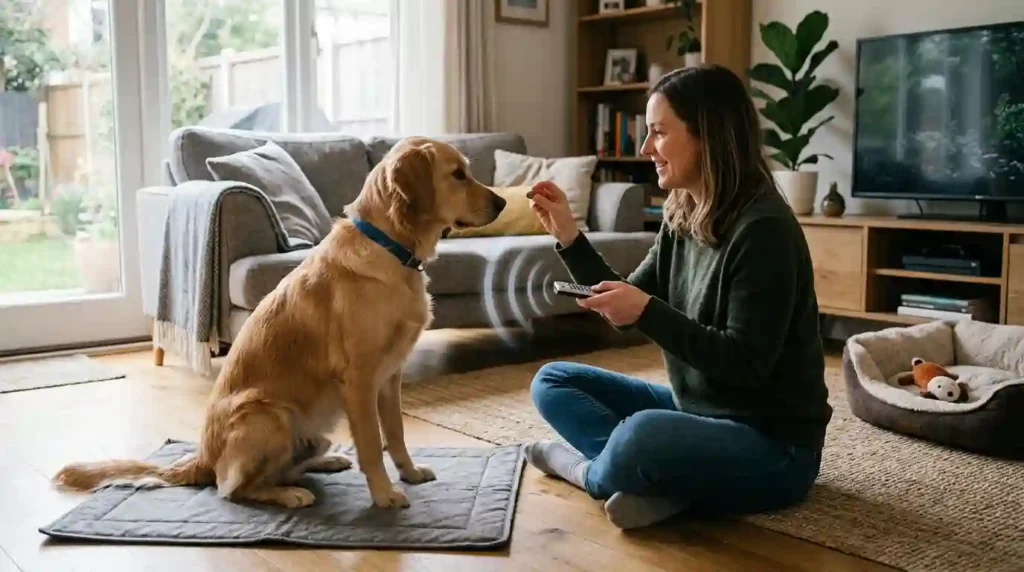
Teach “Place”
“Place” means your dog goes to a bed, mat, or blanket and relaxes there.
How to teach it:
- Put a mat near the living room but away from the TV.
- Toss a treat onto the mat.
- When your dog steps on it, say “yes.”
- Reward again.
- Add the cue “place.”
- Gradually ask your dog to stay longer.
Once your dog understands “place,” use it before clicking the remote. Say “place,” reward your dog on the mat, then click the remote softly and reward again.
Now the remote click becomes part of a calm routine.
Teach “Look at Me”
This cue helps break the staring pattern.
Hold a treat near your eyes and say, “Look.” When your dog makes eye contact, mark and reward. Practice without the TV first.
Later, when you click the remote, ask for “look.” Reward eye contact before barking starts.
Teach “Quiet” Correctly
Many owners say “quiet” while the dog is barking, but the dog does not know what the word means.
Teach it when your dog is already calm.
Say “quiet” in a soft voice, wait one second, then reward. Repeat until your dog associates the word with calm silence.
Later, use it during low-level remote practice. Do not shout “quiet.” A loud voice can increase excitement.
Use Chews and Puzzle Toys
Some dogs bark less when they have an appropriate activity. Before TV time, offer:
- Stuffed Kong
- Lick mat
- Puzzle feeder
- Long-lasting chew
- Snuffle mat
- Frozen treat toy
Licking, chewing, and sniffing are calming behaviors for many dogs. This can reduce barking caused by boredom or attention-seeking.
Adjust the TV Environment
Training is important, but management helps prevent rehearsal of the barking habit.
Lower the Volume First
If your dog reacts to the remote because it predicts a loud sound, keep the TV volume low at the start. Increase volume gradually after your dog improves.
Avoid Triggering Shows During Training
Do not begin training while watching shows full of barking dogs, wildlife, doorbells, sirens, yelling, sports crowds, or fast movement.
Start with calm content like cooking shows, nature scenes without animals, slow conversations, or muted programs.
Block the TV View Temporarily
If your dog barks at movement on screen, block access to the TV area during early training. Use a baby gate, leash, playpen, or furniture arrangement.
The goal is not permanent restriction. It is preventing your dog from practicing the unwanted behavior while you teach a better one.
Create a Calm TV Routine
Dogs love patterns. Build a predictable evening routine:
- Short walk or play session.
- Bathroom break.
- The dog goes to the place.
- Give a chew or puzzle toy.
- Click the remote.
- Reward calm behavior.
- Keep TV volume low at first.
A structured routine reduces uncertainty and excitement.
For dogs that react to water-related sounds, splashing, or poolside activity, you may also find this related guide helpful: Dog Barking Near Swimming Pools or Water Bodies.
Mistakes That Make Remote-Click Barking Worse
Even loving dog owners can accidentally strengthen the barking habit.
Yelling at Your Dog
Yelling often sounds like barking to a dog. Your dog may think you are joining in. It also increases household energy, which can make the remote click even more exciting.
Use a calm voice instead.
Repeating “No” Without Teaching
“No” does not teach your dog what to do. Replace it with a trained cue such as “place,” “look,” “quiet,” or “find it.”
Waiting Until the Barking Explodes
If your dog is already in full barking mode, learning becomes harder. Train before the reaction. Reward early calm behavior.
Playing Triggering TV Content Too Soon
If your dog is sensitive to dogs on screen, do not test progress with animal videos too early. Build success gradually.
Inconsistent Rules
If one family member rewards calm behavior but another laughs, shouts, or encourages the barking, progress will be slower. Everyone should follow the same plan.
A Simple 7-Day Training Plan
Day 1: Remote Means Treat
Practice with the TV off. Click the remote once, give a treat. Repeat 10 times in two short sessions.
Day 2: Add Distance and Calm
Practice from different spots in the room. Reward your dog for staying quiet after the click.
Day 3: Add Remote Movement
Pick up the remote, move your thumb, click softly, reward. Practice “look at me.”
Day 4: Add Muted TV
Turn the TV on with no sound. Click remote, reward. Keep sessions short.
Day 5: Add Low Volume
Use calm TV content at low volume. Reward quiet behavior and use “place.”
Day 6: Add Normal Evening Routine
Before watching TV, give your dog a chew or puzzle toy. Practice remote clicks during calm moments.
Day 7: Increase Real-Life Practice
Use the remote naturally, but keep treats nearby. Reward calm behavior often. If barking returns, lower the difficulty.
This plan is a starting point. Some dogs improve in a week, while others need several weeks or months, especially if the barking habit is old or linked to anxiety.
What to Do If Your Dog Barks After You Click the Remote
If your dog barks, stay calm. Do not punish, chase, or shout.
Try this:
- Pause the TV action if possible.
- Turn your body slightly away.
- Wait for one second of quiet.
- Mark the quiet moment with “yes.”
- Reward.
- Ask for an easy cue like “place” or “find it.”
- Lower the training difficulty next time.
The key is not to reward the barking itself. Reward the first calm moment after the barking stops, then adjust your setup so your dog can succeed sooner next time.
When to Get Professional Help
Most remote-click barking can be improved at home, but professional help is useful if your dog:
- Barks aggressively at the TV or people holding the remote
- Lunges, snaps, or bites
- Cannot calm down after the TV turns off
- Shows severe noise sensitivity
- Trembles, hides, drools, or panics
- Has worsening anxiety
- Reacts to many household sounds
- Ignores food during training
A certified professional dog trainer, veterinary behaviorist, or qualified canine behavior consultant can create a personalized behavior modification plan.
Also, consider a veterinary checkup if the behavior appeared suddenly. Pain, hearing changes, cognitive changes, or anxiety disorders can affect sound sensitivity and reactivity.
Conclusion
Learning how to stop a dog from barking at the TV remote click begins with understanding the trigger. Your dog may be reacting to the sound, the hand movement, the TV turning on, loud audio, screen animals, or a learned pattern that has been reinforced over time.
The best approach is calm and gradual. Start with the remote click at a low intensity, pair it with treats, reward quiet behavior, and slowly add the TV, volume, and real-life viewing routines. Teach alternative behaviors like “place,” “look at me,” “quiet,” and “find it” so your dog has a clear job instead of barking.
Avoid yelling, punishment, and sudden exposure to intense triggers. With patience, consistency, desensitization, counterconditioning, and a peaceful TV routine, many dogs can learn that the remote click is not a reason to bark—it is a cue to relax.
FAQs
Why does my dog bark when I click the TV remote?
Your dog may bark because the remote click predicts something exciting, loud, scary, or attention-grabbing. The click may signal that the TV is about to turn on, animals may appear, or the household routine is changing.
How do I stop a dog from barking at the TV remote when I click it quickly?
Start by clicking the remote with the TV off and immediately rewarding your dog for staying quiet. Keep sessions short and easy. Then slowly add the TV, low volume, and calm content. Quick improvement depends on your dog’s sensitivity and history.
Should I punish my dog for barking at the remote?
No. Punishment can increase fear, confusion, or excitement. It may also make your dog more reactive to the remote. Positive reinforcement, desensitization, and counterconditioning are safer and more effective.
Can dogs be scared of remote control sounds?
Yes. Some dogs are sensitive to sharp or sudden sounds. A remote click can startle them, especially if it has been linked with loud TV sounds or stressful screen content.
What command should I teach my dog for TV barking?
Useful cues include “quiet,” “place,” “look at me,” and “find it.” “Place” is especially helpful because it gives your dog a calm location away from the TV.
Why does my dog bark at animals on TV after the remote clicks?
Your dog may have learned that the remote click predicts animals or movement on the screen. Dogs with high prey drive, herding instincts, or visual sensitivity may react strongly to TV animals.
How long does it take to stop this behavior?
Some dogs improve within a few days, while others need several weeks. Dogs with anxiety, sound sensitivity, or a long barking history may need a slower plan and professional guidance.
Should I mute the TV during training?
Yes. Muting the TV can make training easier at first. Begin with the remote click alone, then add a muted screen, then low volume, and finally normal TV volume.
Can treats really stop barking at the remote?
Treats do not simply distract your dog. When used correctly, they change the dog’s association with the remote click. The sound begins to predict something positive instead of triggering barking.
What if my dog ignores treats and keeps barking?
The trigger is probably too intense. Increase distance, lower the volume, turn off the TV, use better treats, or train at a calmer time. If your dog still cannot relax, contact a professional trainer or veterinary behaviorist.